If you own or manage the online presence for a local business, regardless of the size or industry, Google My Business is an invaluable tool that you can use to help customers find, engage with, and ultimately patronize your business.
Many of the features within Google My Business can also help to effectively and efficiently communicate key business updates. These updates can especially be helpful for customers seeking ever-changing information regarding temporary hours of operation, masking requirements, and curbside pickup or outdoor dining options.
Before you get started with creating or claiming your Google My Business listing, you will need to create a Google account if you do not already have one.
Claiming and Verifying an Existing Business Listing
Before starting the process of creating a brand new Google My Business listing, you should check to see if one already exists for your business. Though only someone affiliated with the business can verify and manage your listing, Google does allow users to create new listings for businesses that do not yet have them.
To check and see if your business already has an existing listing, open Google Maps and search for your business name. If someone has already created a listing for your business, then click on “claim this listing” followed by “manage now.” Next, follow the verification steps provided by Google.
Creating and Verifying a New Business Listing
To create a new listing in Google My Business, go to business.google.com and login with your Google Account. On the next page, choose the blue link labeled “Add Your Business on Google” below the search bar. If you haven’t previously searched for your business on Maps, you can do that here as well.
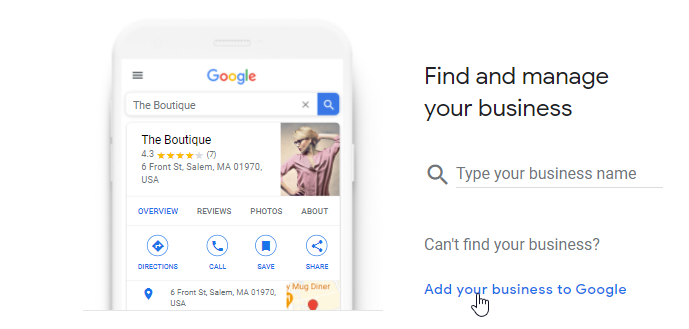
On the screens that follow, you will be prompted to add the following information (for the sake of this walkthrough, we will be focusing on businesses that serve customers at a physical location):
Your Business’ Name
Use your legal business name. You may notice that your competitors use keywords in their business listing to attempt to gain a ranking advantage. While some businesses are able to get away with this practice undetected, it is against Google My Business’ Terms of Use and can result in your listing being suspended.
Your Business Category
Once you begin typing, a list of pre-populated options will appear for you to choose from. Pick the category most associated with your business’ industry (“Thai restaurant,” “casino,” and “music instrument store” are some examples)
Your Business Address
Use the exact same naming format that you use on your website and other online business listings. If you typically abbreviate “Suite #108” as “Ste 108,” for example, make sure to use that same format here.
Phone Number & Website
You do not need to have a website for your business in order to have a Google My Business page and have your business show up in search results and map listings.
If you do not have a website and would like one, Google My Business offers very basic, auto-created sites that are free for life.
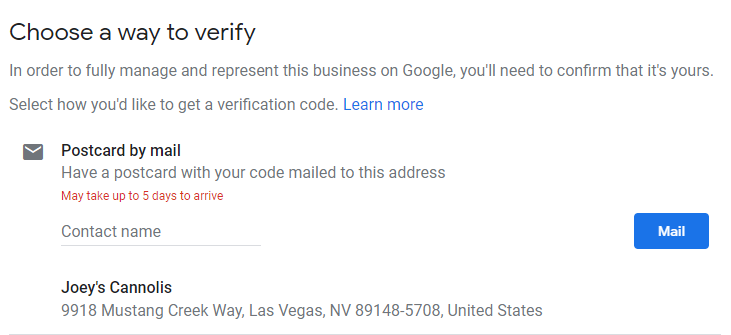
Once all of your information has been entered, you will be asked to choose a method to verify your ownership of the business. With some exceptions, this is done with a personal identification number (PIN) sent to the business address via postcard.
Postcard receipt usually takes 5-7 business days. In some rare cases, Google may offer you the option of receiving your PIN via phone call. This is typically offered to businesses where the associated phone number has previously been “linked” to the respective address.
While you will be able to access your listing at this stage, many of the functions and features inside of Google My Business (adding photos or responding to reviews, for example) will be restricted from use.
Optimizing Your Google My Business Listing Info
Once you have verified your Google My Business listing, there are some additional steps to take to fully optimize your business profile.
Photos
- While Google does encourage users to upload images of their favorite businesses, it is always recommended to establish your brand’s visual identity by uploading your own as the business owner or listing manager.
- There is no limit to the number of images that you can upload to your Google My Business, but some of the most important to include are:
- An exterior shot of your entrance
- Interior shots of all of the areas customers can access within your business
- A logo
- Images of your featured products, services, or menu items
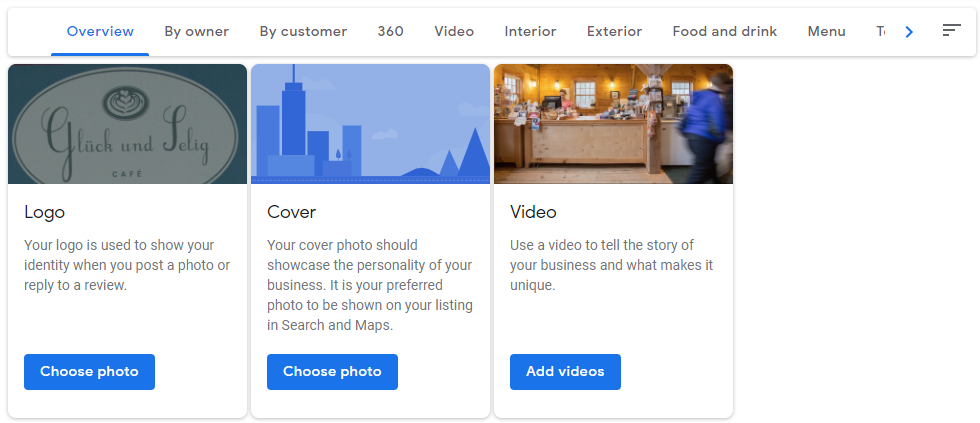
Whichever photo you designate as your “Cover” will be the featured image that displays when customers interact with your business listing.
You may also choose to add videos in this section of your business profile. Videos can be an excellent tool for further highlighting the unique experience of your business for potential customers.
Products & Services or Menu Items
- Adding products, services, or menu items to your Google My Business listing helps to further make your listing stand out visually while also displaying your unique offerings to potential customers directly in search.
- Adding products and their details such as name, photo, description, and price are free.
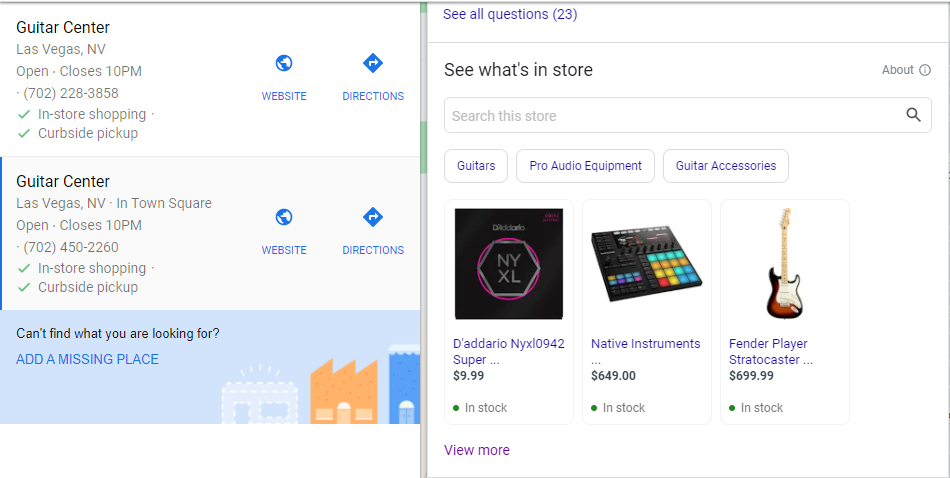
- You can add a premium service, such as Google’s own Pointy, for a one time fee of $899 to integrate your inventory directly into your Google My Business listing. Here is an example of how your product inventory is displayed and can be searched from directly within your listing using this type of service:
Info
Your business name, address, and phone number (often abbreviated to NAP by SEOs and marketers) that you entered when first creating your listing is just the starting point when it comes to information that you can populate within your Google My Business listing. Among the additional pieces of information that should be fully completed within the “Info” section of your profile include:
- Hours of Operation
- More Hours
- These vary based on your business category. Options for a restaurant, for example, include “happy hours,” “delivery,” and “kitchen” open/operating times.
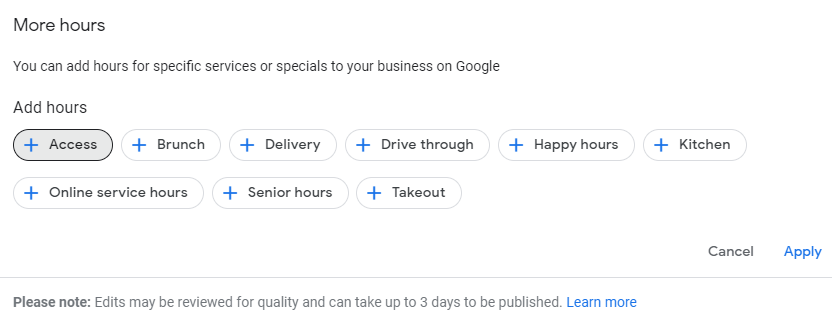
- These vary based on your business category. Options for a restaurant, for example, include “happy hours,” “delivery,” and “kitchen” open/operating times.
- Shortname
- Similar to a social media handle, designating a short name for your business can help customers more easily access your listing. Short names can be up to 32 characters, but must be unique. It is recommended to set this up quickly to obtain the short name of your liking, especially if you have a business with a common name.
- Reservation or appointment links
- For restaurants, these include order ahead and menu links.
- Attributes
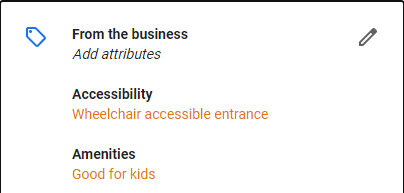
- Attributes can be a number of features and/or amenities offered at your business location. The list of available attributes offered to add to your Google My Business listing will vary depending on your listing, but they are a great way to further communicate certain perks or accommodations that customers can expect when visiting your business.
- Add as many available attributes that are relevant to your business as possible.
- Business Description
- Google auto-populates a short business summary (typically 3-5 words) at the top of your listing. However, business owners can add their own more detailed description that appears further down in the profile.
- A well-written, concise description can help customers quickly understand more information about your business services, offerings, and mission.
- The max character count is 1500, with Google displaying the first 250 characters in front of a “read more” link.
- Opening Date
Final Thoughts
Google My Business is an essential part of getting customers to directly engage with your business in local search. From your listing, customers can directly take action by calling you, requesting driving directions, or booking an appointment or reservation. All of the information covered in this guide is essential information that will not only help customers easily find the most relevant information related to your business in local search, but that will also help your listing stand out against competitors.
While this is an extensive list of the basics to get a fully completed Google My Business profile up and running, in subsequent articles we will cover additional features such as Google Posts, Q&As, and Review Management to further grow your reach and engagement.